How to Display Real-Time Mortgage Rates on Your Website
Build a web scraper to gather live mortgage rates OR use an existing API service
Custom Scraping vs. API Query
When looking to implement real-time data tracking, there’s basically two options to choose from:
Build a custom web scraping process to pull the data on a set schedule
Use an existing interest rate API service that handles all of that for you
 Which Should I Use?
Pros and cons of building a scraper:
Pros: Choose any data source, don’t have to pay
Cons: Programming knowledge required, scrapers break all the time, websites block you, risk of missing data, continual maintenance
Pros and cons of using an existing API service to query rates:
Pros: Little to no programming knowledge required, set up in minutes, no maintenance required
Cons: Usage fees
If you have a technical background, are familiar with some Python or JavaScript, and you’re willing to take the time to learn how to build a scraper, deploy that scraper to the cloud, and run it on a schedule — then you should go with a scraper.
If you just need the data quick and easy, and are willing to pay some small usage fees (a few dollars a month), then using an existing service is the right choice.
How To Scrape Mortgage Rates (guide on using an API at the end)
Choose a website and locate the data you want
Store that data in a database
I’d recommend Zillow as a reliable source for pulling general interest rates. This page has a good overview by state:
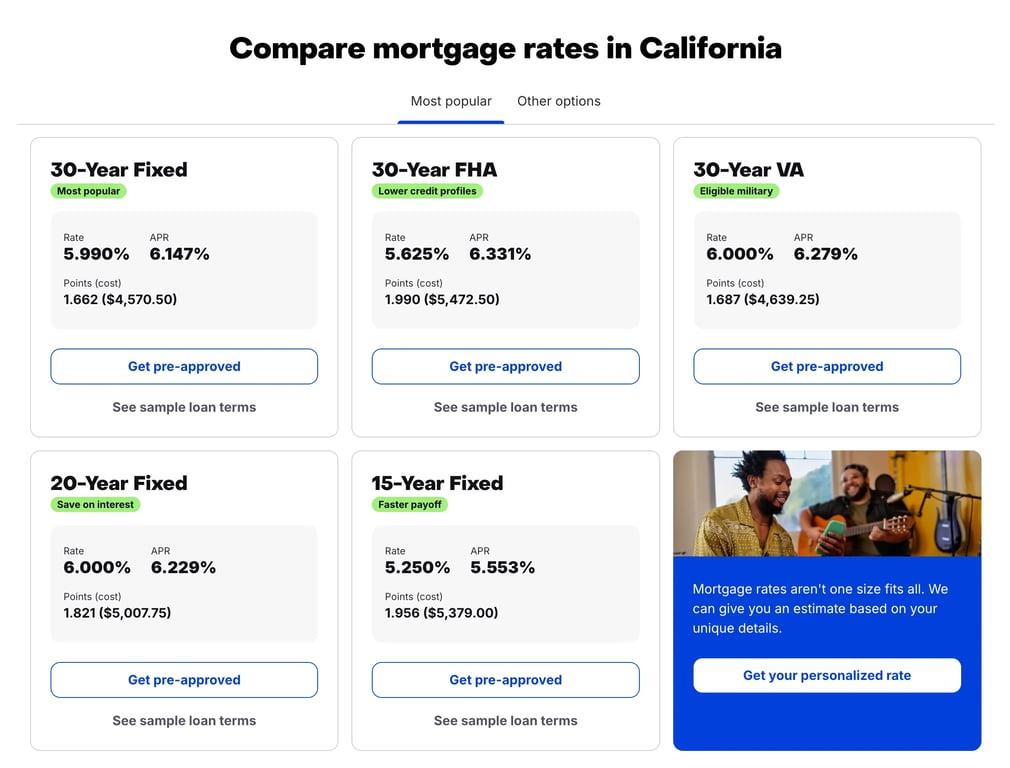 A very simple Python scraper for this page might look something like this:
# zillow_scraper.py

import requests
from bs4 import BeautifulSoup

url = "https://www.zillow.com/homeloans/mortgage-rates/california/"

response = requests.get(url)

soup = BeautifulSoup(response.text, 'html.parser')

thirty_year_fixed = soup.find('h3', string="30-Year Fixed").find_next_sibling("div").find("span", string="Rate").find_next_sibling("span").text

print(f"30-Year Fixed Mortgage Rate in California: {thirty_year_fixed}")

# Output: "30-Year Fixed Mortgage Rate in California: 5.990%"
This script works as of the day I’m writing this guide, but it’s very possible their website will change and the scraper will break, requiring you to rewrite the scraper.
The next step is to store the data somewhere. Without writing a full in-depth guide on how to set up a database (maybe I’ll do that soon!) I’d recommend looking into SQLite, or a managed Postgres hosting service like Heroku, Fly.io, Neon, or Railway.
Finally, you’ll want to run the scraper on a schedule to make sure your data is always up to date. I wrote an in-depth guide on how to deploy and run scrapers here.
How to Use an API Service to Display Interest Rates on Your Website (h.api)
I recently built h.api — an extremely easy to use API to query live mortgage rates. It allows anyone to sign up and have access to live rates in any US state within minutes.
Sign up and generate an API key
Query the rates you need
After you sign up, head to the “API Key” page and click “Generate API Key”
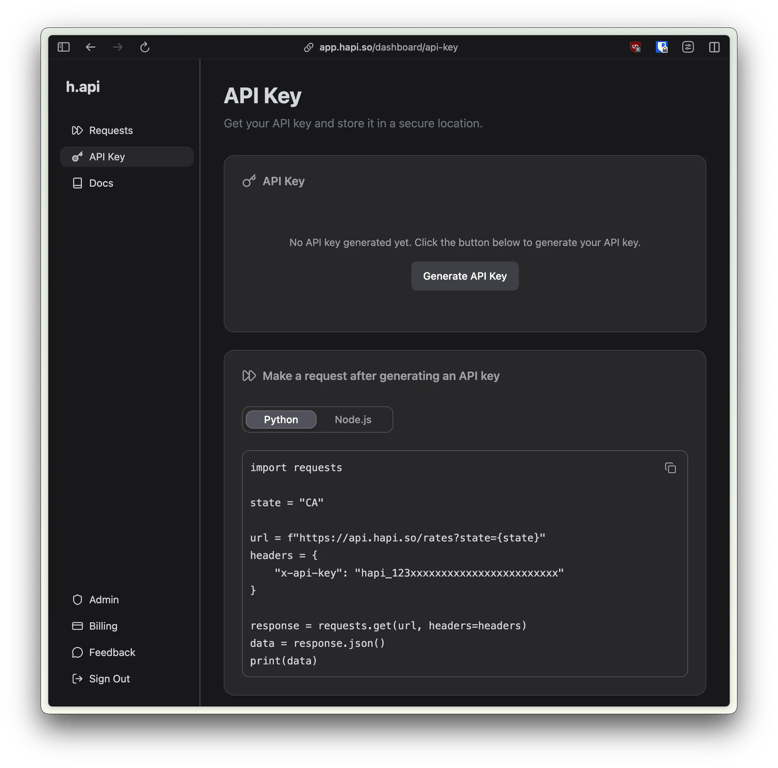 Then, copy the code block underneath your key into a Python or Node.js script. Make sure your API key is set in the
 x-api-key header.
# query_api.py

import requests

state = "CA"

url = f"https://api.hapi.so/rates?state={state}"
headers = {
    # Make sure replace this with the key you generated!
    "x-api-key": "hapi_123xxxxxxxxxxxxxxxxxxxxxxxx"
}

response = requests.get(url, headers=headers)
data = response.json()
print(data)
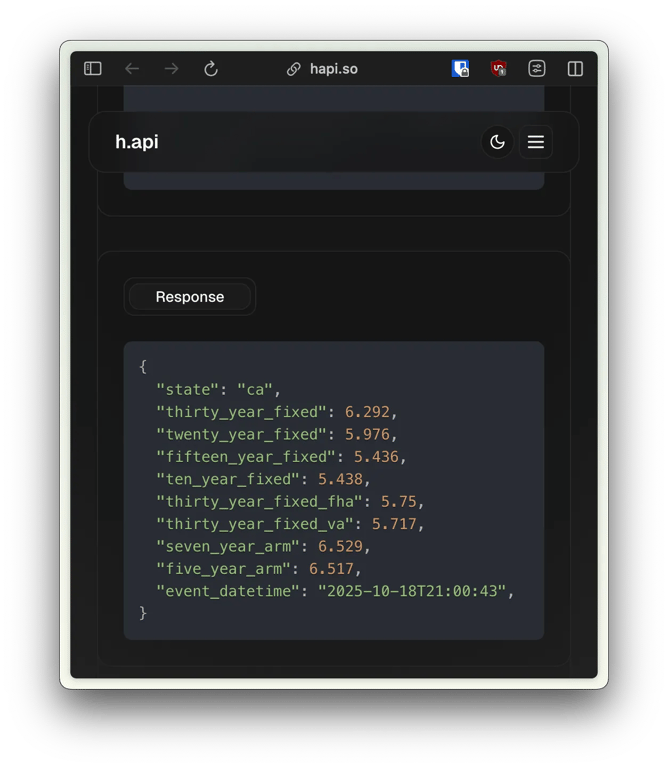
Your result will look like this:
{
  "state": "ca",
  "thirty_year_fixed": 6.292,
  "twenty_year_fixed": 5.976,
  "fifteen_year_fixed": 5.436,
  "ten_year_fixed": 5.438,
  "thirty_year_fixed_fha": 5.75,
  "thirty_year_fixed_va": 5.717,
  "seven_year_arm": 6.529,
  "five_year_arm": 6.517,
  "event_datetime": "2025-10-18T21:00:43",
}
You can view all your request logs in the “Requests” tab:
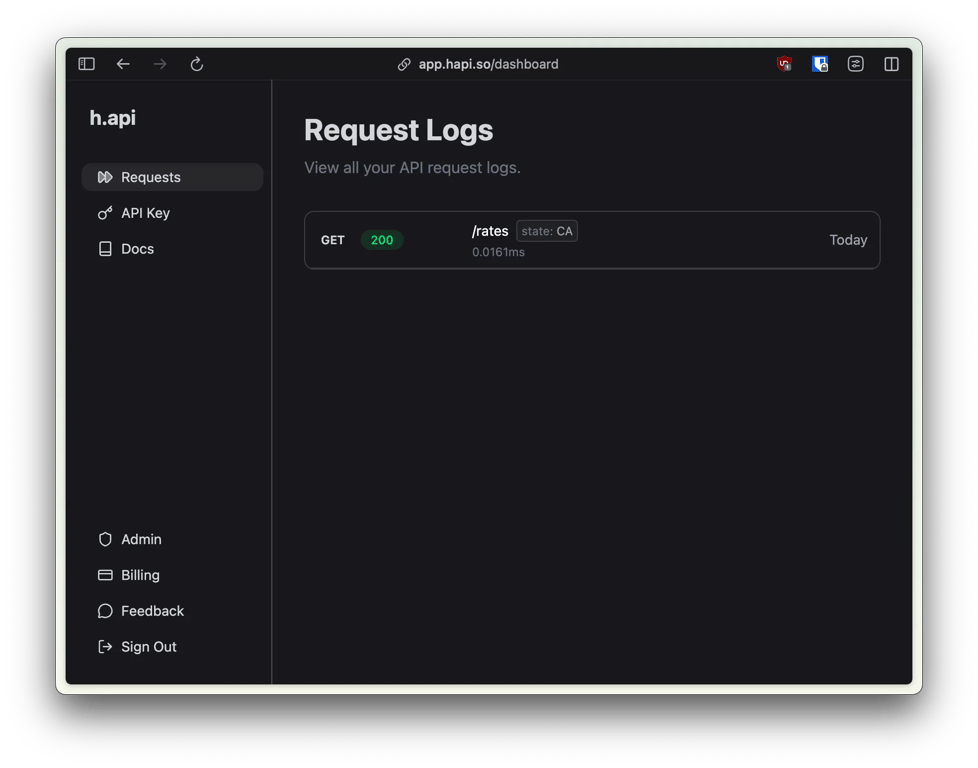 Congrats! In just a couple minutes you gained access to real-time mortgage rates.
How to Display the Data on Your Website (I’ll help you out!)
The code snippet above is all you need to pull the data — the next step is getting it onto your website and displaying it where you need.
There are so many different ways to build and host a website that it would be impossible to write a guide on exactly how to add this data to each one.
However! If you are less technical and not sure how to do that, I would be more than happy to jump on a call with you and help get you up an running for free. Reach out to me on LinkedIn or schedule time with me here.

How to Connect FastAPI to Postgres
Quick and simple guide on using Postgres in your FastAPI app in 2025.
Read Full Story